 SocraTask
Flashcards, notes, mail, tasks and a calendar in one app.
Free during the beta. Runs in your browser and works offline.
Watch the tour
Every page of the beta in two minutes, in light and dark: Dashboard, Academy, Study Space, Tasks, Calendar, Sticky Notes, Notes, Mail, Friends and Chat.
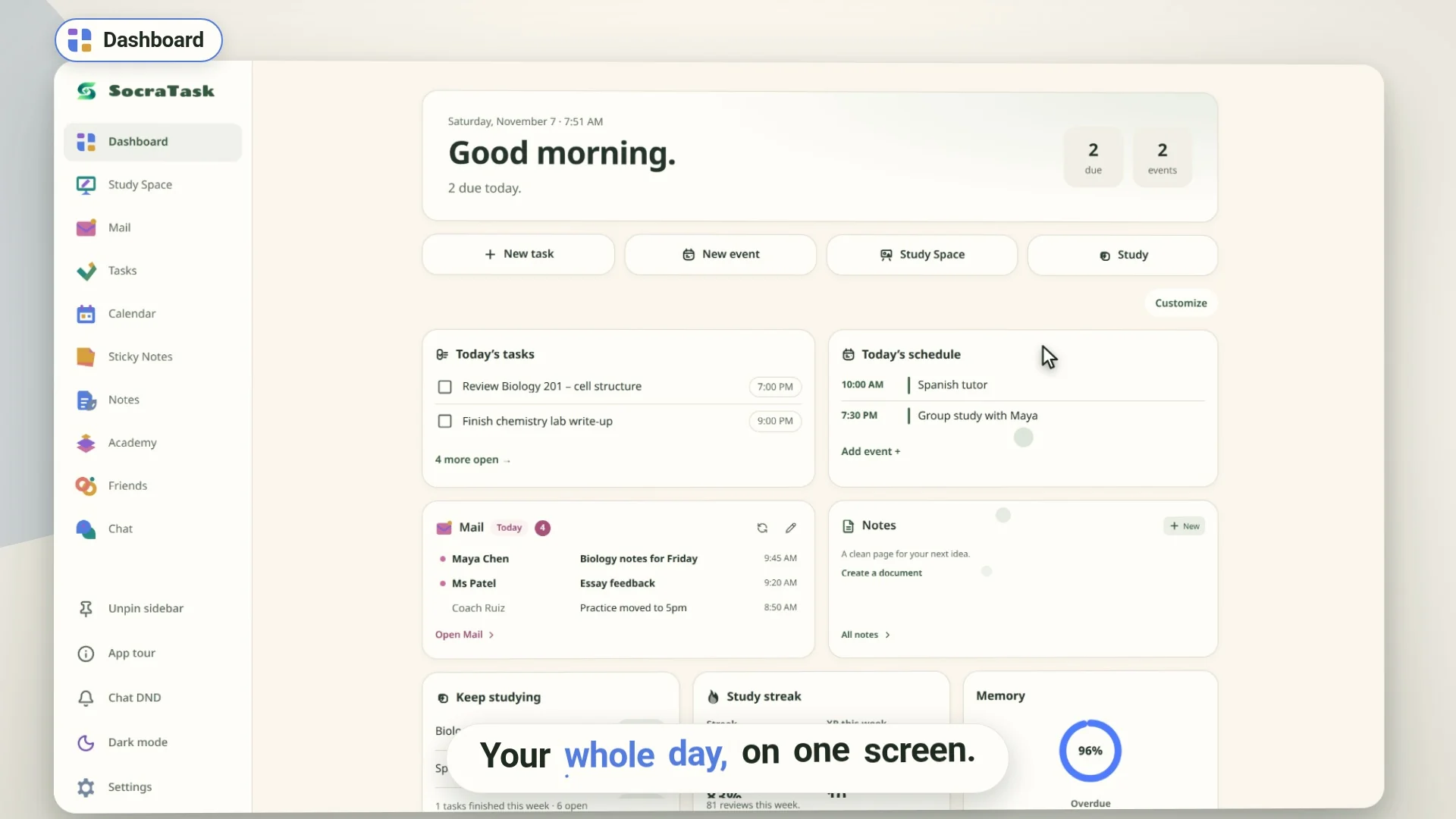
The video loads from YouTube only when you press play. Watch it on YouTube
New
- Mail. Your Gmail with today's email first, plus a dashboard widget.
- Unit paths. Learn a whole deck set by set, then take a unit test.
- Spaced written recall. Cards you get right in multiple choice come back later as written questions.
- Notes editor. Documents with tabs, comments, a pen and Word import/export.
 Dashboard
Your day on one screen: tasks due today, today's events, a pinned sticky note, your study streak and how many cards are due.
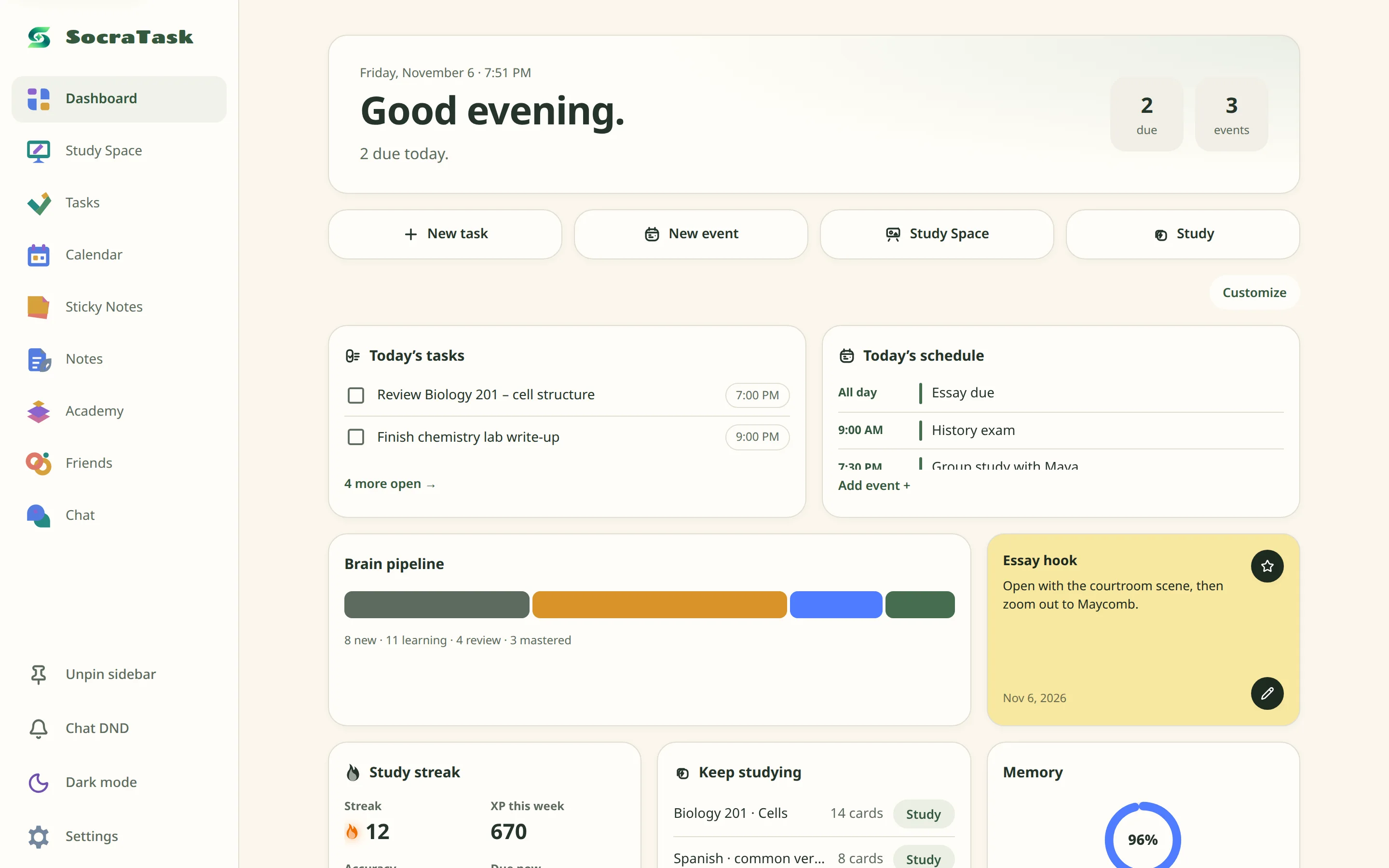
- WidgetsMove, resize, add or remove them with Customize.
- Quick actionsNew task, new event, open Study Space or start studying.
 Academy
Flashcard decks. Make cards yourself or import them from Quizlet, Anki or your notes. Each answer you give sets when that card comes back, using the FSRS memory model.
Unit paths
Learns a whole deck in sets of about 10 cards.
-
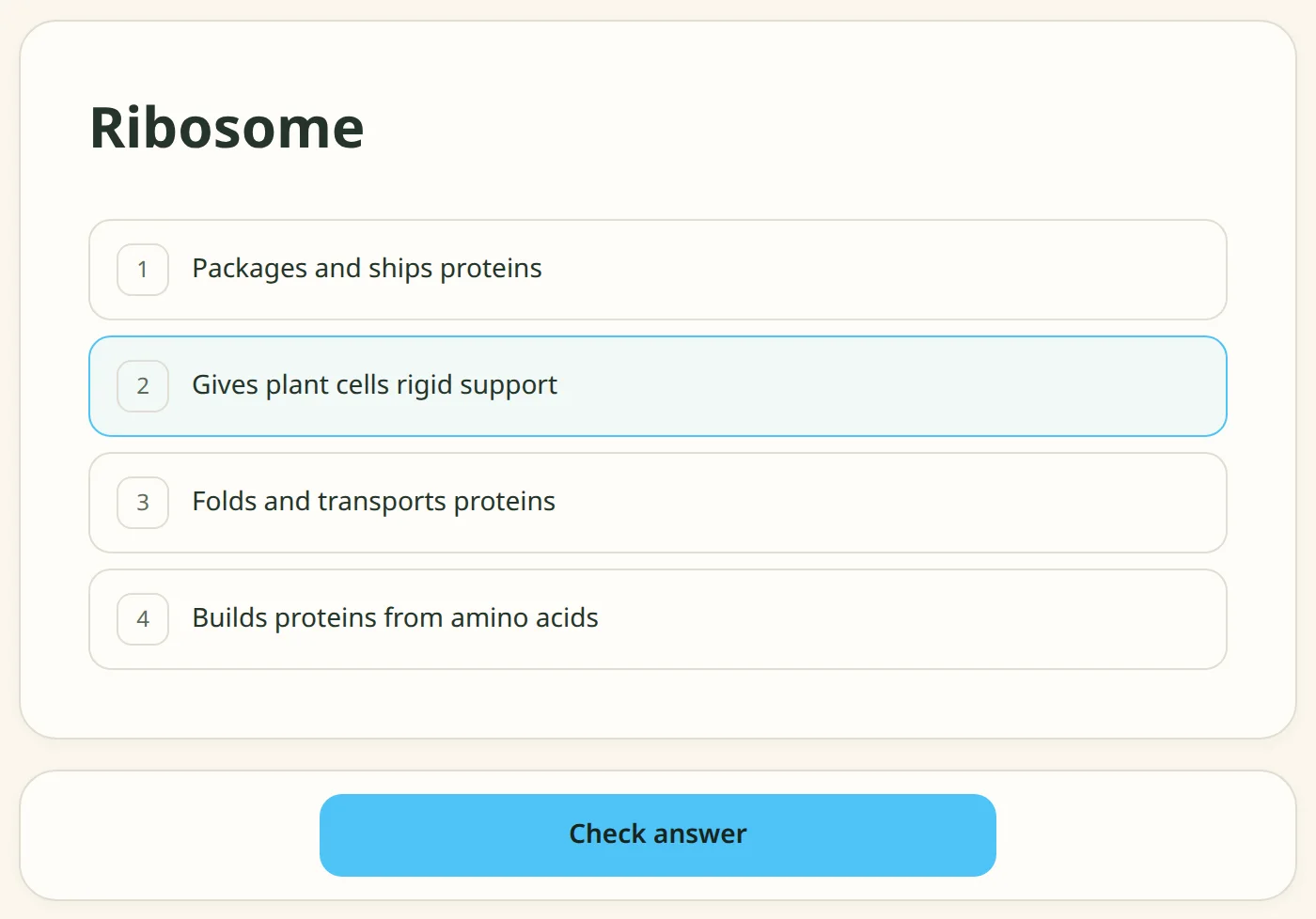 1Multiple choice
Wrong answers show the right one and come back two questions later, until you get them right.
-
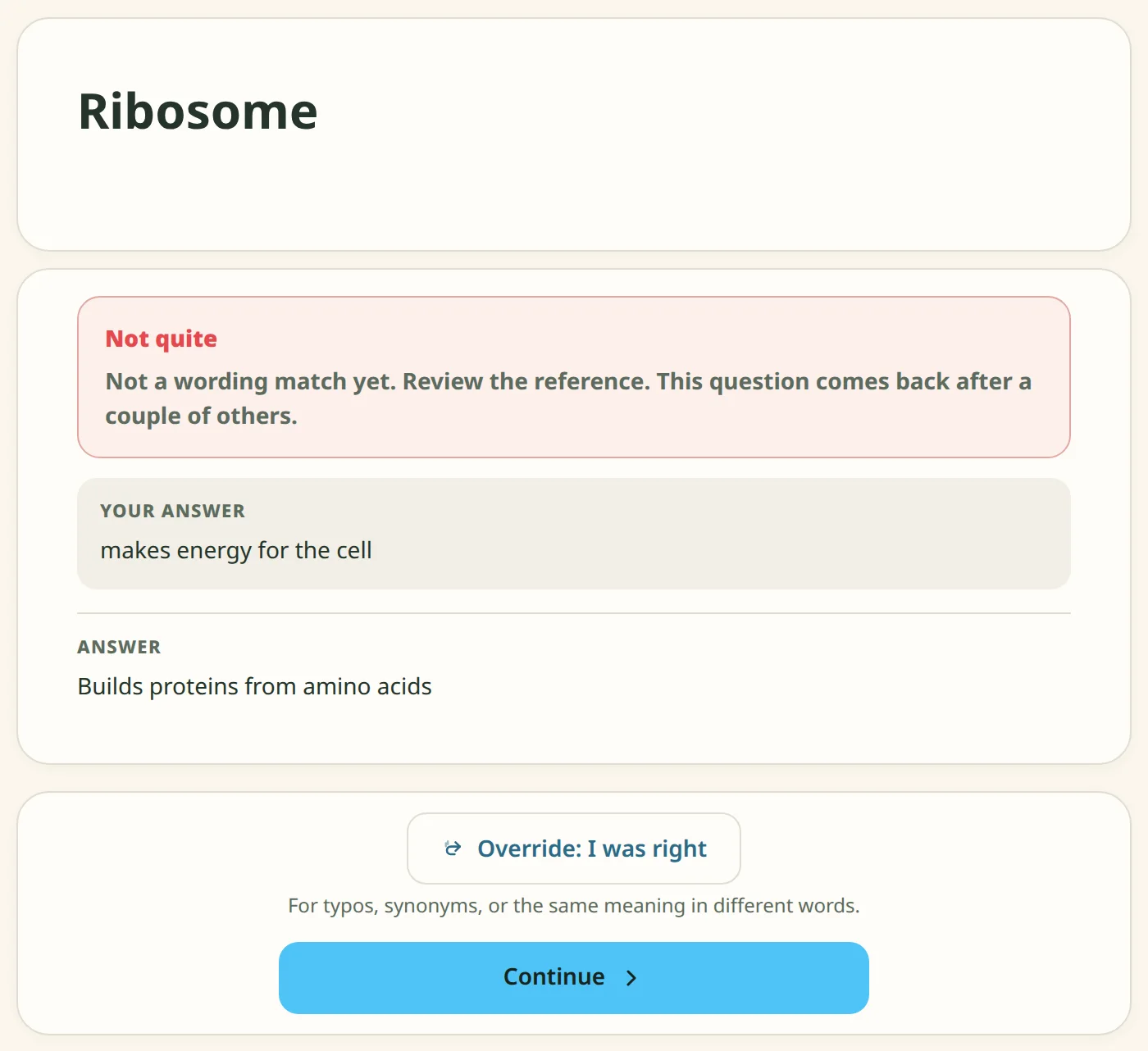 2Written answers
The same cards, typed from memory. Override marks an answer correct if the checker missed a typo or rewording.
-
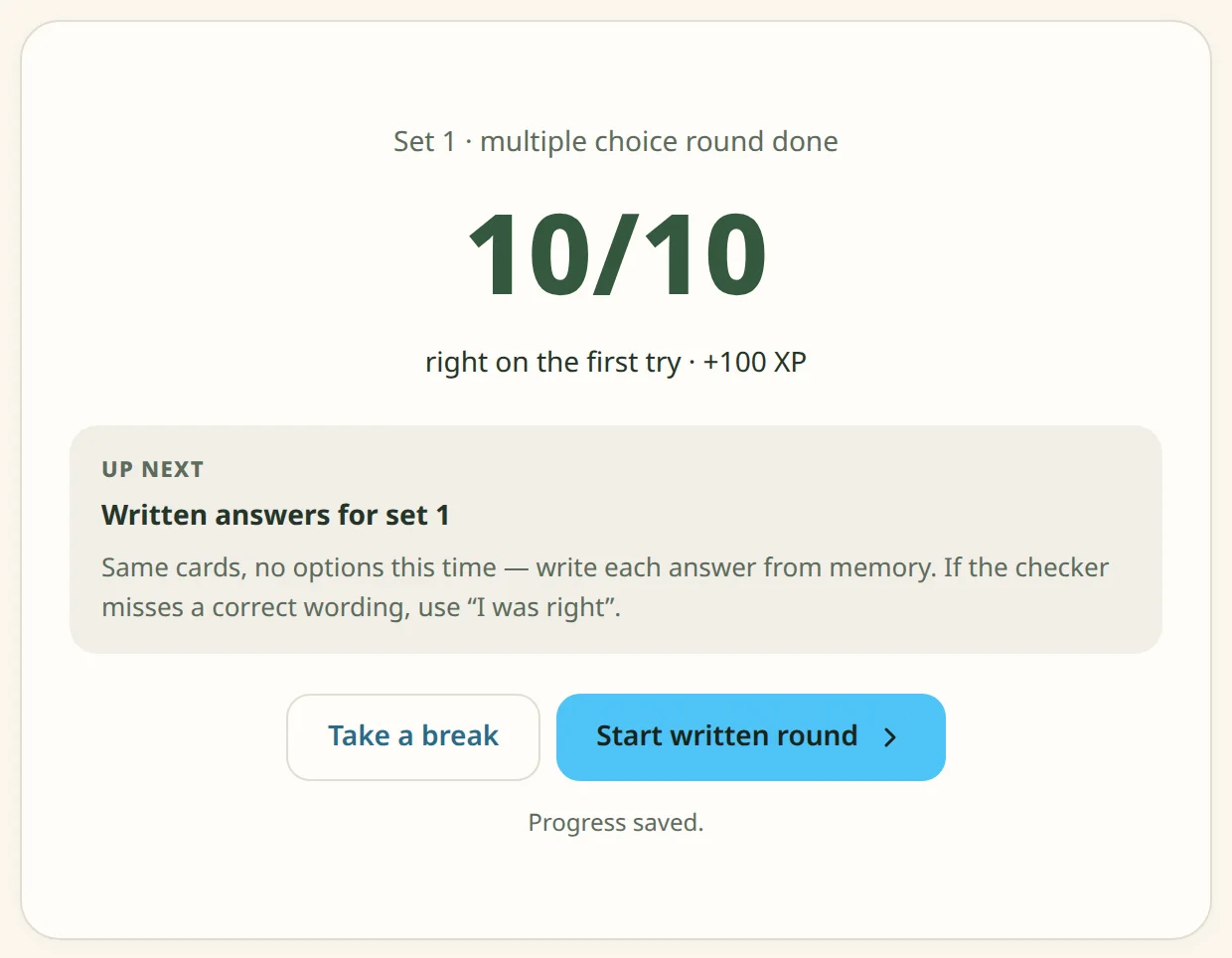 3Unit test
After every set: a test on the whole deck. Pass with 80% or fix the misses and retake it. Progress saves after every answer.
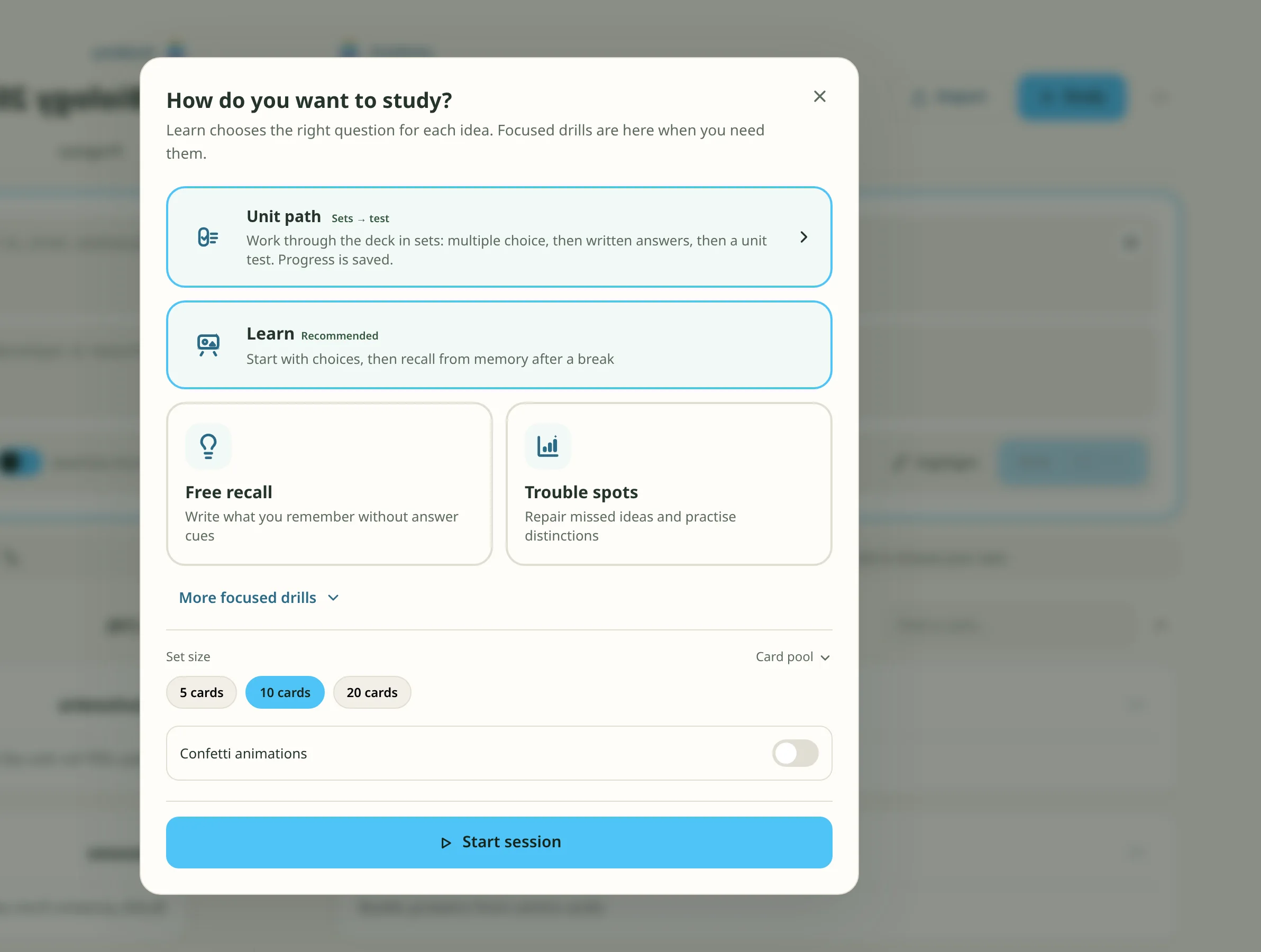
Study modes
- LearnMultiple choice first, then written recall after a break.
- Free recallType every answer.
- Trouble spotsOnly the cards you keep missing.
- Teach backExplain the idea, then compare with the card.
- Fill the blanksType the missing words.
- FlashcardsFlip and self-rate.
 Study Space
An infinite whiteboard. Draw and type on it, and add live parts of the app: a deck, your tasks, a timer or a note.
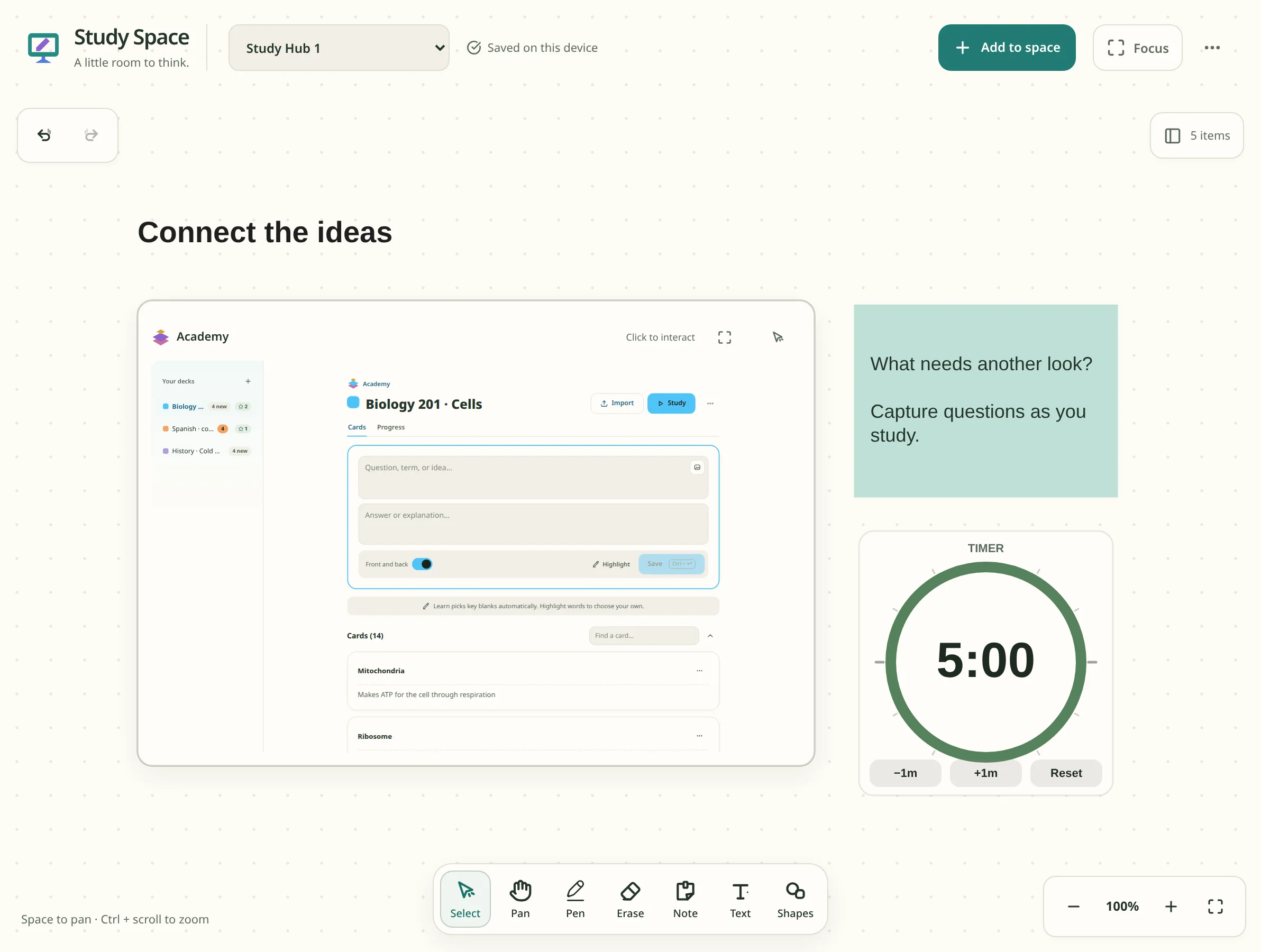
- ToolsPen, highlighter, eraser, shapes, text and notes.
- TemplatesFocus session, revision desk, brainstorm.
- FocusHides everything except the board.
 Mail
Your Gmail inbox, showing today's email first. Read, reply, forward and send without leaving SocraTask. Everything stays in sync with Gmail.
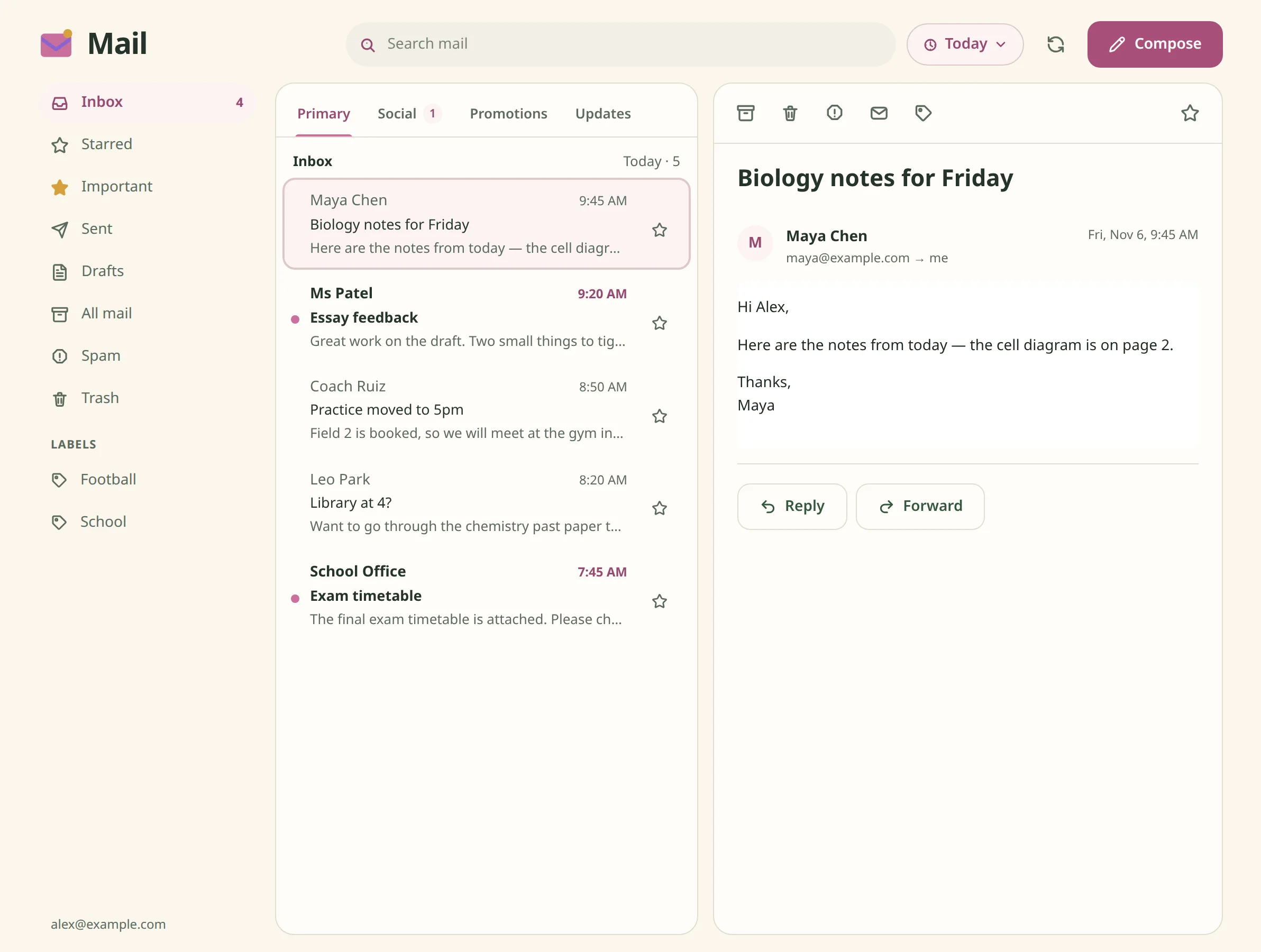
- ShowToday, unread today, all unread or everything.
- Inbox tabsPrimary, Social, Promotions and Updates, the same as Gmail.
- FoldersStarred, Important, Sent, Drafts, Spam, Trash and your Gmail labels.
- ActionsArchive, delete, report spam and label, with undo.
- PrivacyImages in emails stay hidden until you choose to show them.
- WidgetThree dashboard sizes: unread count, today's list, or the full inbox.
 Notes
A document editor with headings, tables, maths, comments and suggestions, tabs inside a document and a pen for writing on the page.
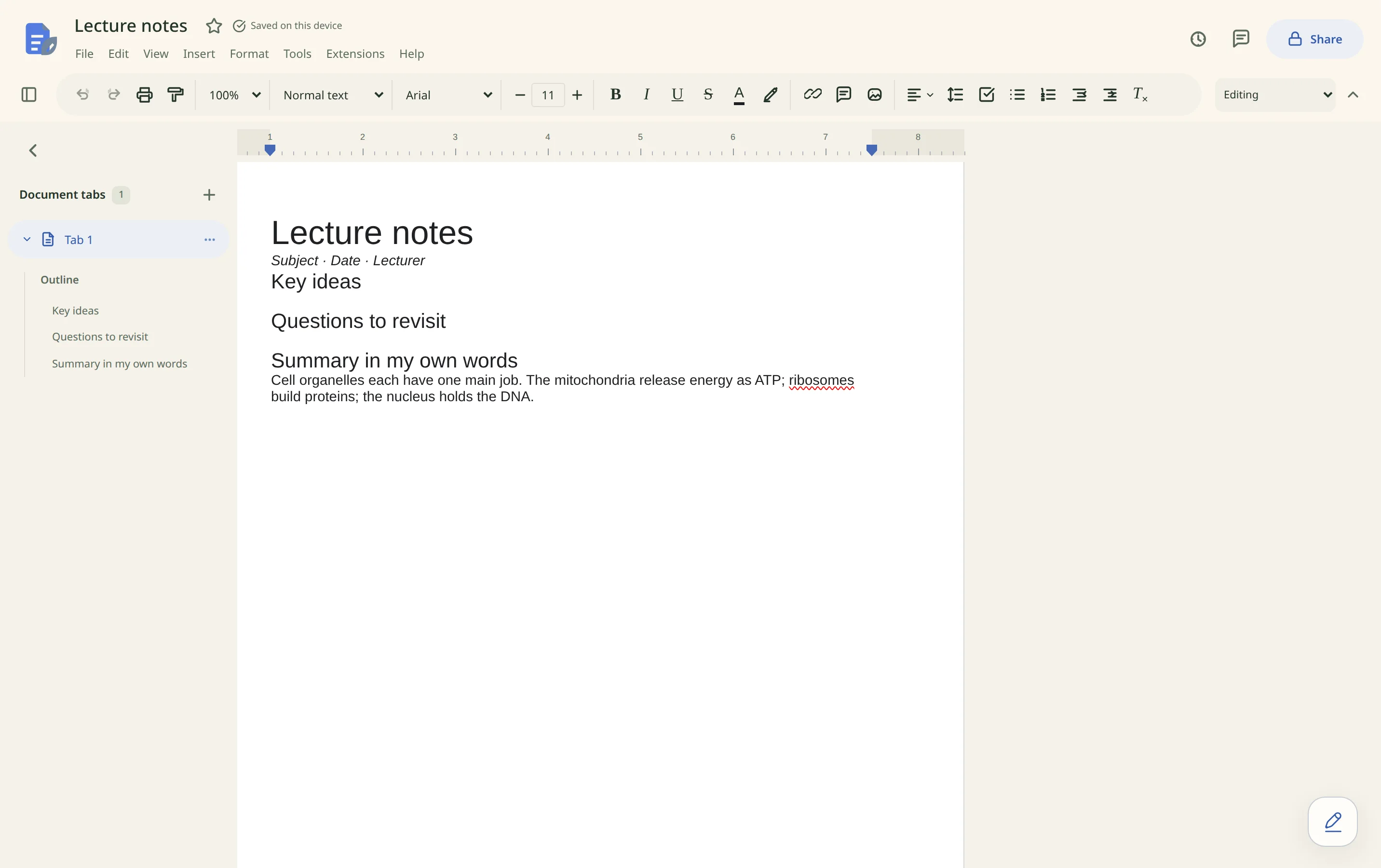
- TemplatesLecture notes, essay plan, study guide.
- Fonts20 built-in fonts, plus your own uploaded .ttf, .otf or .woff files.
- FilesOpen and export Word documents, print to PDF.
- HistoryEarlier versions are saved automatically.
 Sticky Notes
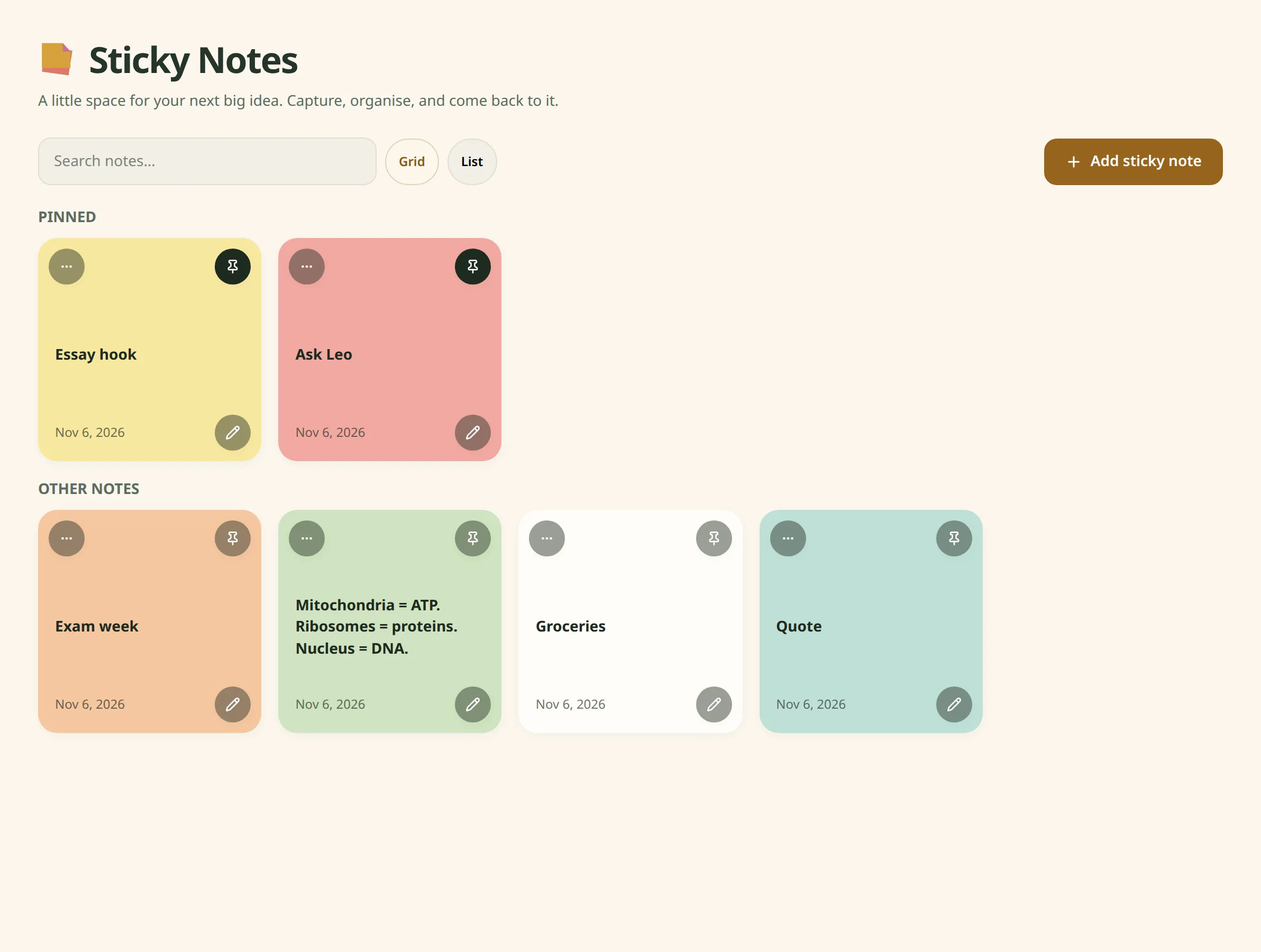
Short coloured notes. Pinned notes stay at the top and show on the dashboard.
 Tasks
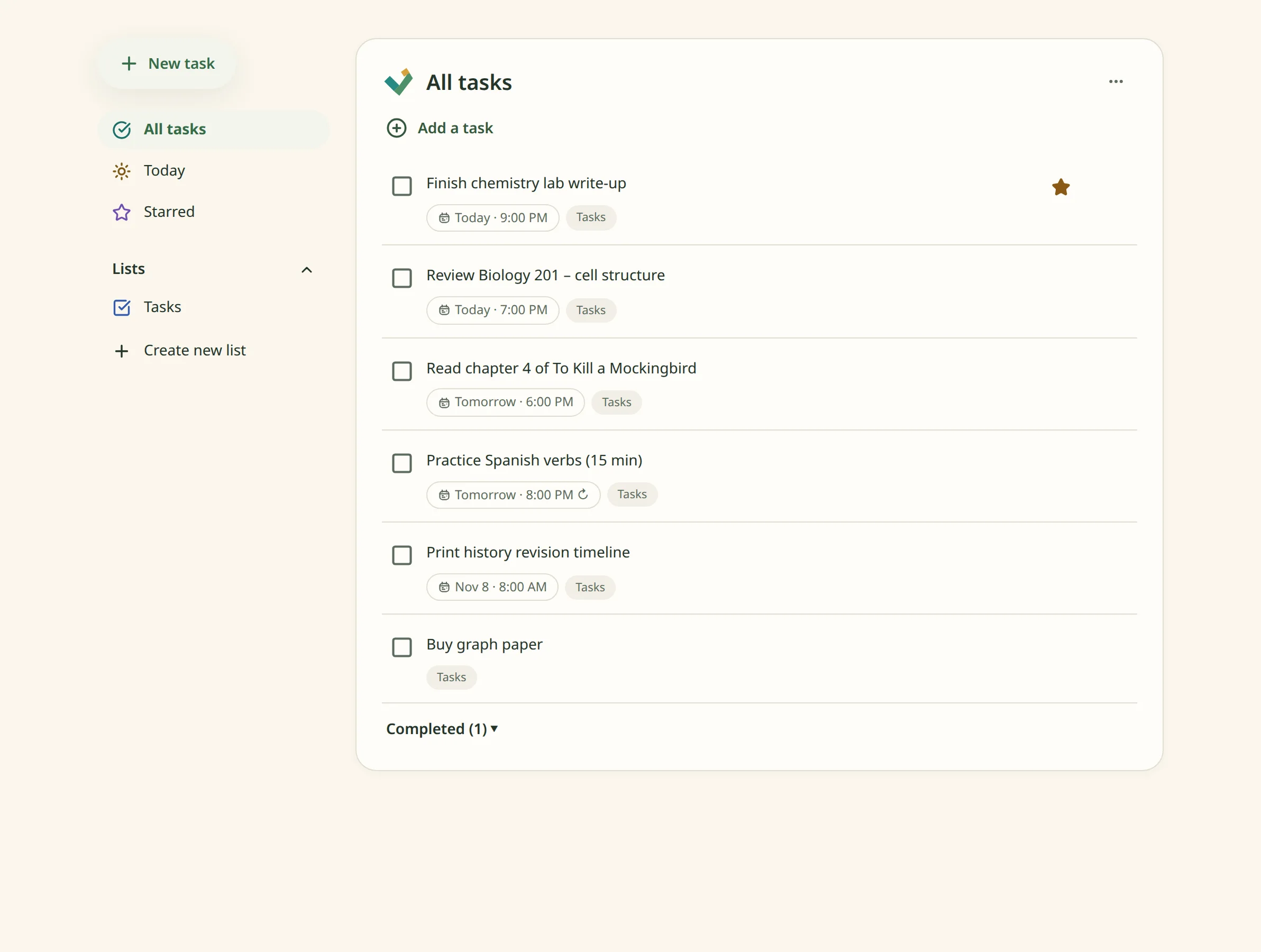
To-do lists with due dates and times, repeats, stars and subtasks. The Today view shows only what's due today.
 Calendar
Day, week and month views with two-way Google Calendar sync. Tasks with a due time appear on it.
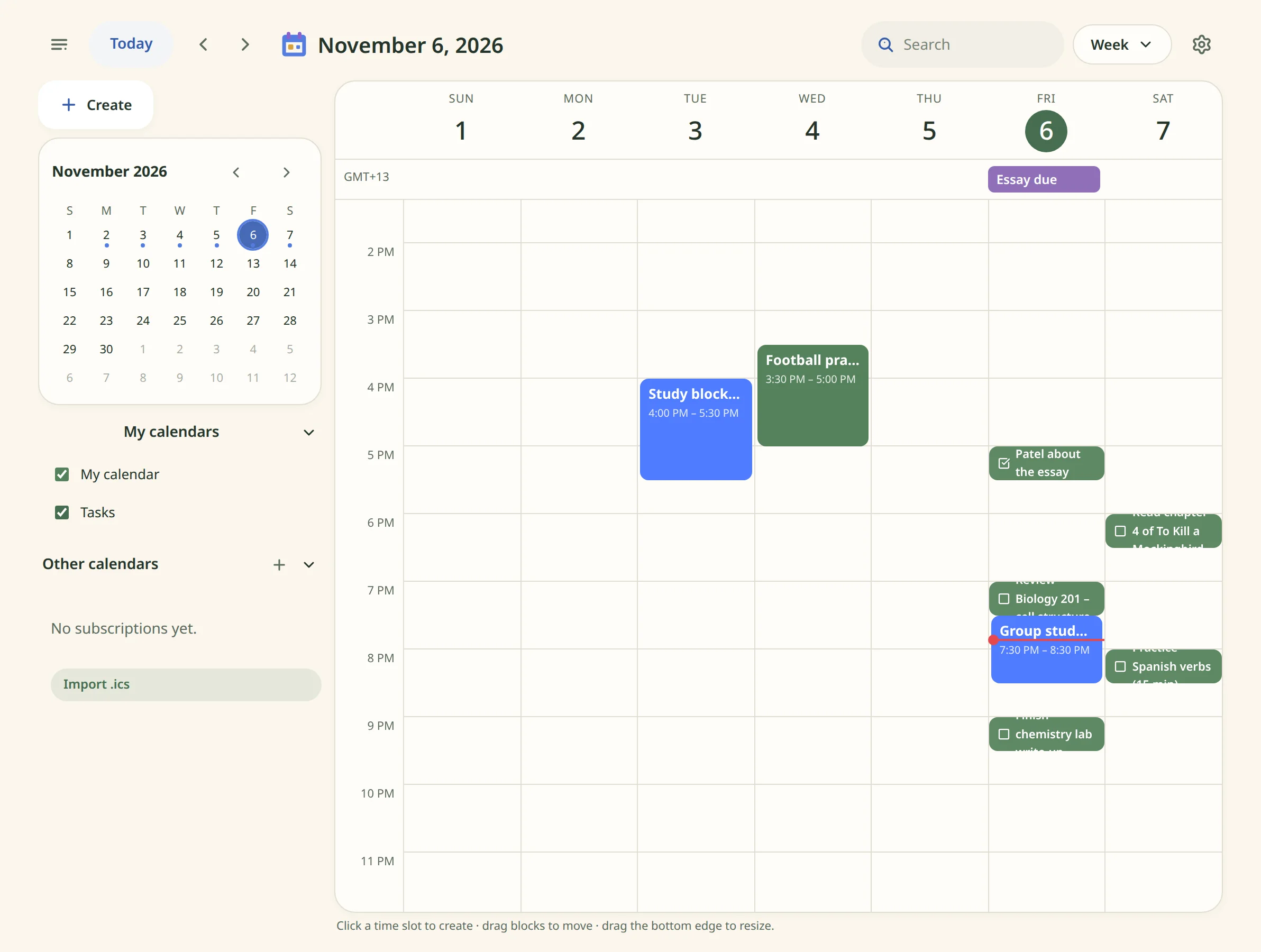
- EditingClick a slot to add an event, drag to move, drag the edge to resize.
- CalendarsGoogle Calendar sync and .ics import.
 Friends
Add the people you study with. Needs an account.
- Shared streaksA streak with a friend continues only on days you both study. Up to five.
- MilestonesStars at 7, 30, 100 and 365 days.
- LeaderboardWeekly XP compared with your friends.
 Chat
Messages with your friends. Needs an account.
- MessagesDirect and group chats with replies, reactions and read receipts.
- FilesAttachments up to 10 MB.
- SharingSend a deck or a board into a chat.
FAQ
Is it free?
Yes, during the beta.
Does it work offline?
Yes. Data is saved on your device first and syncs between devices when you're signed in.
What devices does it run on?
Any modern browser on a computer, tablet or phone. It can be installed as an app from the browser.
Can I import Quizlet or Anki decks?
Yes. Paste a Quizlet export, an Anki text export or plain notes.
How are written answers checked?
By comparing words with the card's answer, not meaning. Use Override when it gets one wrong.